It's an AI agent. Someone asks their assistant to "find a painter near me who can come Thursday and book a quote," and the assistant goes looking. It reads sites, compares options, and in some cases tries to fill out the form or book the appointment for them.
Nobody knows exactly how big this gets or how fast. Some of it is already happening, and a lot of it is still being figured out. What we do know is that the sites that are easy for software to read and use are the ones agents can work with. The good news is that most of the work is stuff that also helps regular visitors and search engines. So it's a pretty safe bet.
Here's what agent readiness actually means, in plain terms, and what a small business can do about it this month.
Picture someone calling around for a customer, reading only what's written down. They can't ask a follow up question, they can't guess what you meant, and they don't have time to dig. If the answer isn't easy to find, they move on to the next business on the list.
That's basically what an AI assistant is doing when it checks out your website for someone. So the question isn't "is my site fancy enough?" It's "could a stranger get the basics and book with me in under a minute?"
Most of what people ask their assistants for comes down to a few simple jobs.
1. Find your hours and whether you're open.
"Is the plumber on 17 open Saturday?" If your hours are only in a photo of your storefront sign, or buried in a footer that says something different than your Google listing, the assistant may get it wrong or skip you. Put your hours in plain text, on the page, and keep them the same everywhere.
2. Figure out what you actually do.
"Does this company do roof repairs or just full replacements?" Write a short, clear page for each service you offer. Say what it is, who it's for, and what's included. If you don't do something people often ask about, say that too.
3. Get a rough idea of price.
People ask their assistants "how much does it cost to paint a bedroom in Myrtle Beach?" all the time. You don't need a full price list. A simple "most bedrooms run between X and Y, depending on size and prep" or a short list of what affects the price gives the assistant something useful to pass along. Businesses that say nothing about price often just get left out of the comparison.
4. Book an appointment or request a quote.
This is the big one. More and more, the assistant doesn't just find you. It tries to take the next step for the customer. If your booking form is confusing, breaks on a phone, or asks for twelve things before it'll submit, that job goes to someone else.
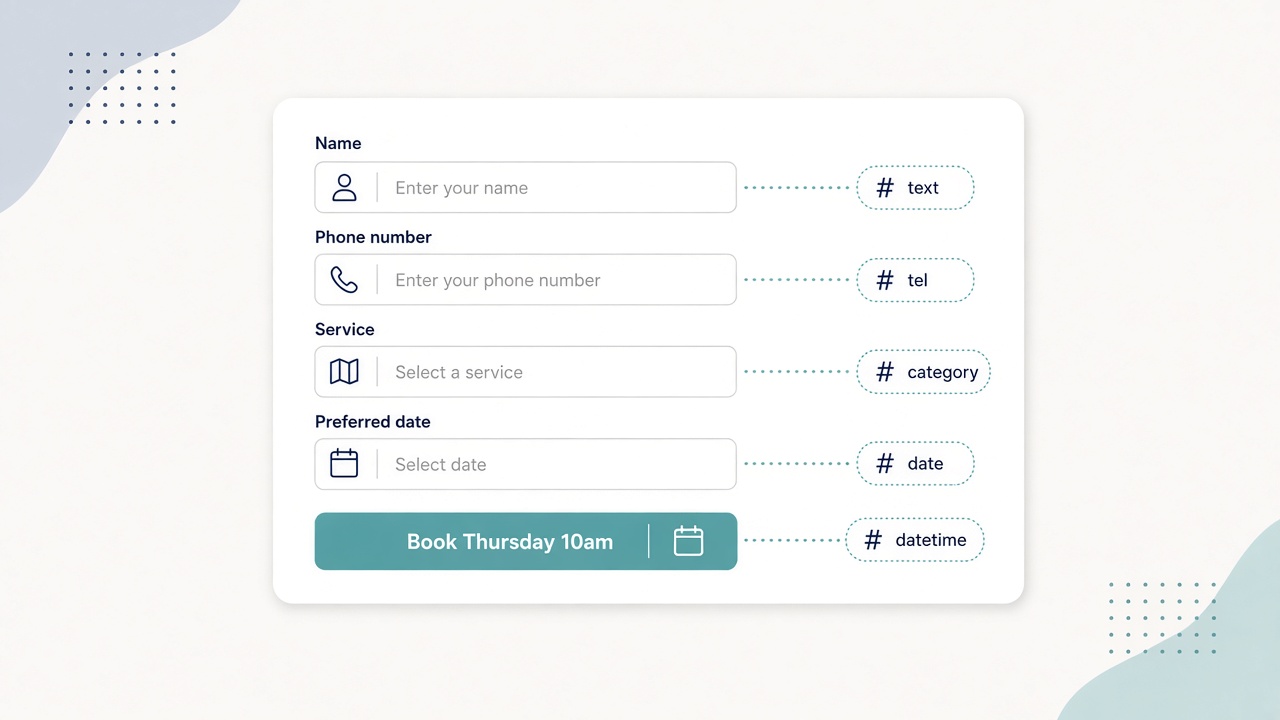
Your forms are where business gets won or lost, whether a person or an assistant is filling them out. A few simple fixes go a long way:
Here's a quick test you can do tonight: try booking or requesting a quote on your own site from your phone. Then try it using only your keyboard, without a mouse. If either one is a pain, it's a pain for everyone.
Assistants compare options. When two painters look the same, the one with clearer, more trustworthy information usually wins.
This one sounds boring, but it matters more than almost anything else. Your hours, phone number, address, and services should match on your website, your Google Business Profile, Facebook, Yelp, and anywhere else you're listed. When those don't agree, assistants don't know which one to trust, and customers end up calling a disconnected number or showing up when you're closed.
Pick one day a quarter to check them all. It takes twenty minutes.
This week
This month
Every few months
None of this guarantees more calls or better rankings, and anyone promising that about AI is guessing. What it does is make it easy for a customer, or the assistant working for them, to understand what you do and book with you without any guesswork. That's always been good business. AI just makes it more obvious.
If someone builds or manages your site, these are the technical pieces worth asking them about:
Check Channels helps Myrtle Beach service businesses with websites, SEO, and automation. If you want someone to look at your site through a customer's eyes, and their assistant's, get in touch and we'll walk through it with you.